
At a shop or restaurant, first establish the supported merchant payment method. Check the merchant, amount, funding source and any fee before approval. A linked foreign card does not make every QR code a supported payment route.
Understand the two common merchant flows
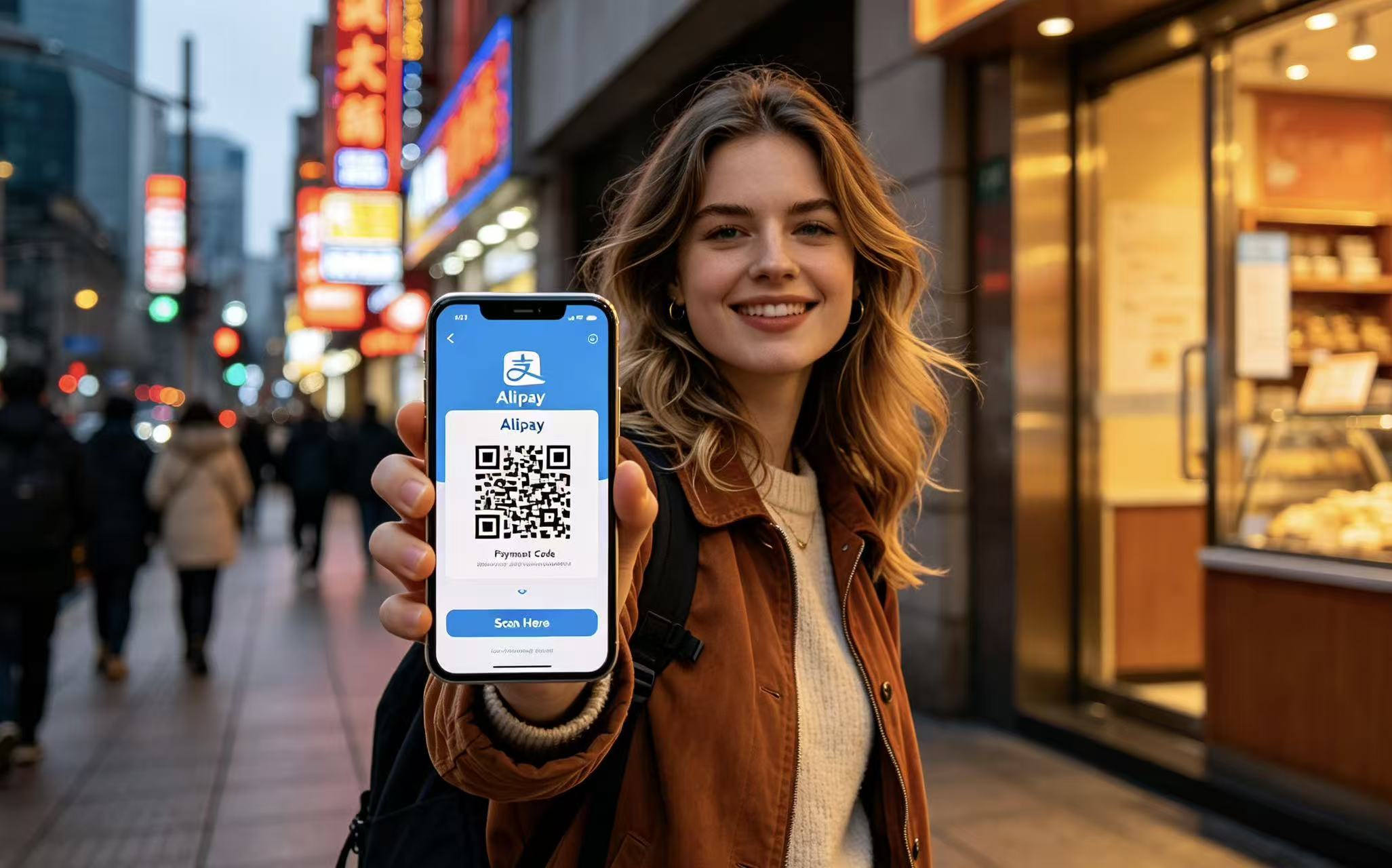
| Flow | Your checks | If it fails |
|---|---|---|
| You scan the merchant’s code | Confirm merchant identity, enter/check amount and select an eligible funding method | Ask whether there is a supported merchant payment route; do not scan a stranger’s substitute code |
| The merchant scans your payment code | Open the current code, check the payment result and receipt | Confirm whether any charge succeeded before trying again |
Use the app’s payment function rather than showing an old screenshot. A personal receive-money code, merchant code, transit code and mini-program checkout are not interchangeable. The method available at one store may differ from the next.
Pause at the confirmation screen
Check that the merchant and total match the purchase, including any service or delivery charge. Select the intended card and read the fee and conversion information. Your issuer can apply additional charges; the platform’s current displayed fee is more useful than a fixed threshold copied from an old guide.
Protect your PIN and banking code from people nearby. Never let a helpful stranger log into your account or receive an authentication code. If you do not understand a request, cancel it and ask staff about cash or another payment method.
Check the result before paying twice

A slow screen does not prove that the payment failed. Check the transaction history and ask the merchant to confirm receipt before retrying. Keep the receipt or transaction reference if the result is disputed; use the app and bank’s official support channels.
If money appears reserved or a refund is pending, do not assume an immediate return. Processing depends on the merchant, platform and issuer. For deposits, establish the refund method and record the amount before paying; see hotel deposits and refunds.
Treat transit, tickets and deposits as separate products
A city transit mini-program can require its own registration and a supported funding method. Ordinary merchant payments working at a café do not prove the same card will activate a metro code. Use the local operator’s available alternative instead of missing a train while changing settings.
Ticket platforms and hotel deposits also have their own account, identification and refund conditions. Book through the actual official or authorized channel and inspect the final charge. An intermediary is not automatically cheaper, and a train fare above a particular amount is not automatically impossible to pay.
Use this fallback sequence
- Confirm whether the first transaction actually succeeded.
- If it failed, try a prepared alternative funding method or supported wallet.
- Ask about cash or a directly accepted physical card.
- Resolve the app/bank error after the immediate purchase, using the exact message.
- Keep a written hotel address and enough practical backup for the next transport leg.
For detailed diagnosis use Alipay not working. For initial registration use the setup guide; repeating account creation at the counter is rarely the best first action.
At the counter: amount, result, then receipt
For a hypothetical RMB 86 meal, first check that the restaurant’s bill and the app amount both say 86. Confirm the merchant and intended card, then read any displayed fee. If the screen stalls, check the transaction history and ask the cashier about receipt before making another payment. RMB 86 here is an arithmetic example, not a statement about restaurant prices or fees.
| Question | Chinese phrase | What to verify |
|---|---|---|
| Can I pay with Alipay? | 可以用支付宝付款吗? | Which supported merchant flow the cashier wants you to use |
| Did you receive the payment? | 请确认一下,收款成功了吗? | The cashier’s receipt and your own transaction result |
| Can I pay cash instead? | 可以付现金吗? | Whether the earlier attempt succeeded before switching methods |
A cashier confirmation does not mean handing over your unlocked phone, PIN or bank authentication code. Keep the purchase receipt and transaction reference for a genuine dispute; contact the platform or issuer through the official channel. If your first-day route involves several small purchases, protect a little time to learn the payment flow rather than making your first test at a train’s boarding deadline.
Three useful distinctions
Does China accept cash?
Cash remains one of the payment options described in government guidance. Carry usable denominations; a particular shop’s change or operational problem is not a reason to say the country accepts no cash.
Does every foreign card work?
No. The network, issuer, account and merchant flow matter. Prepare an alternative rather than assuming approval.
Should I split a bill to avoid fees?
Follow the merchant and platform terms. Do not make fee evasion a planning recommendation; assess the disclosed total and choose an appropriate legitimate payment method.
Turn this decision into a workable route
Small payment problems become bigger when the itinerary has no time or practical alternative. LOCLYX is a China-based local team. We tailor a written plan to your dates, budget, interests, pace and constraints. Planning costs $19.9 per travel day; travel purchases are separate and we do not make reservations or provide ground services.
Connect the payment checklist with your pre-departure app preparation. Compare the sample itinerary and pricing and scope before using Plan My Trip. Delivery and revision conditions are in the published policy.
Sources and scope
Editorial review: October 19, 2026. Practical checklists are planning guidance, not a guarantee of eligibility, availability or a particular outcome.
- Shanghai: Alipay overseas-card guidance — supported linking and merchant payments
- State Council: payment guide — cash, card and mobile alternatives